Some deliveries may take a little longer than usual due to regional shipping conditions.

DOWNLOAD THE APP


Customer Services
Copyright © 2025 Desertcart Holdings Limited
DOWNLOAD THE APP
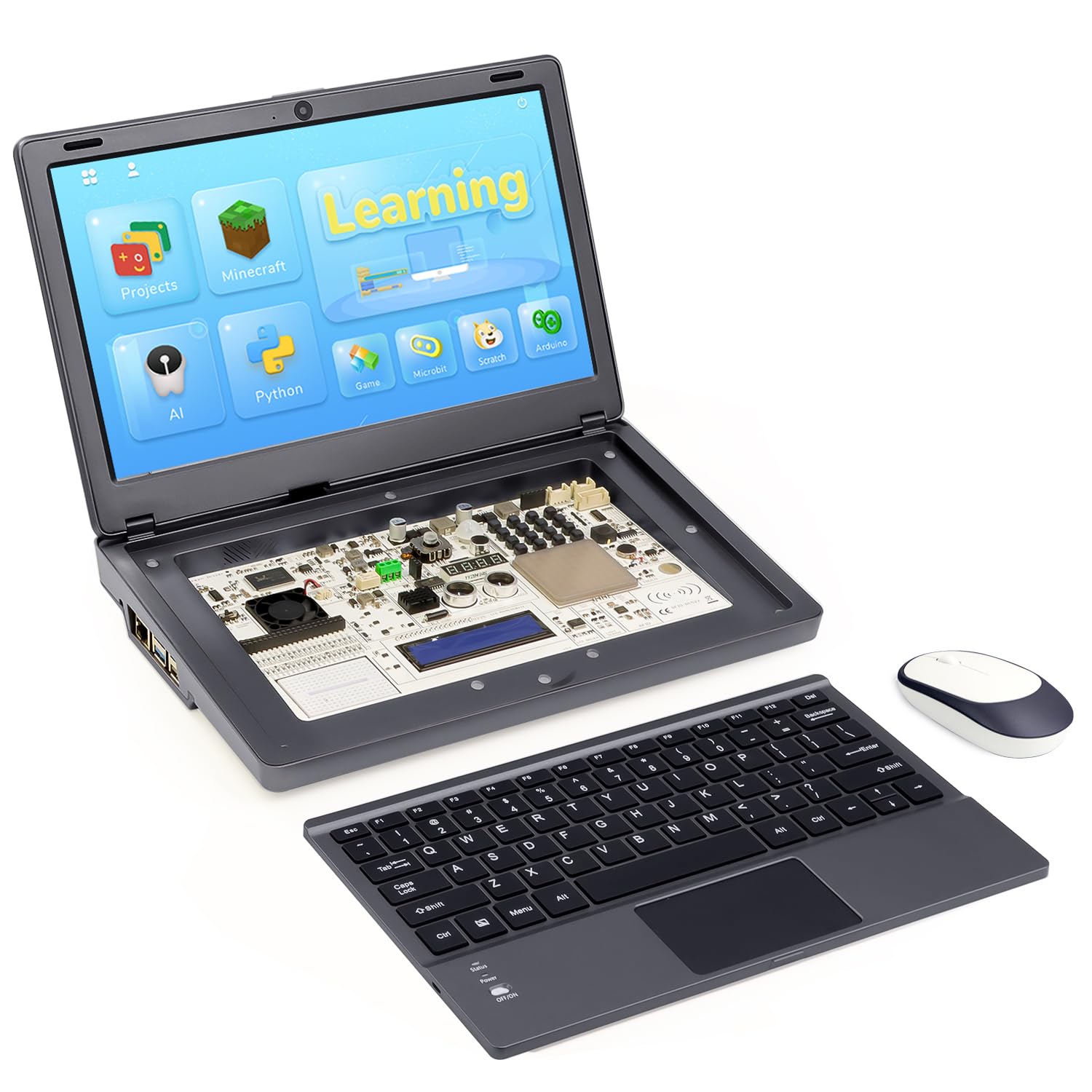
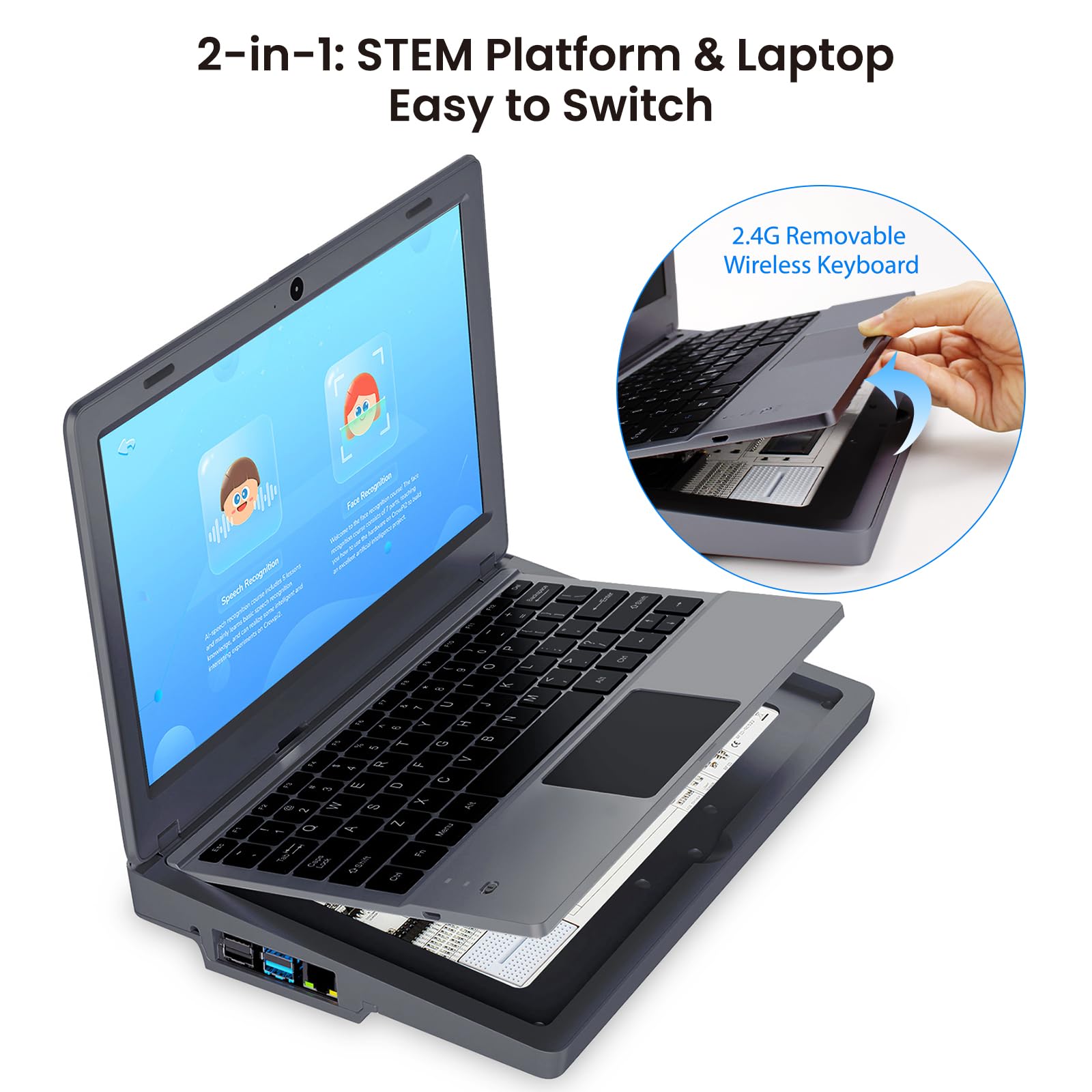

🚀 Elevate your coding game with the CrowPi 2 — STEM mastery in a sleek, portable package!
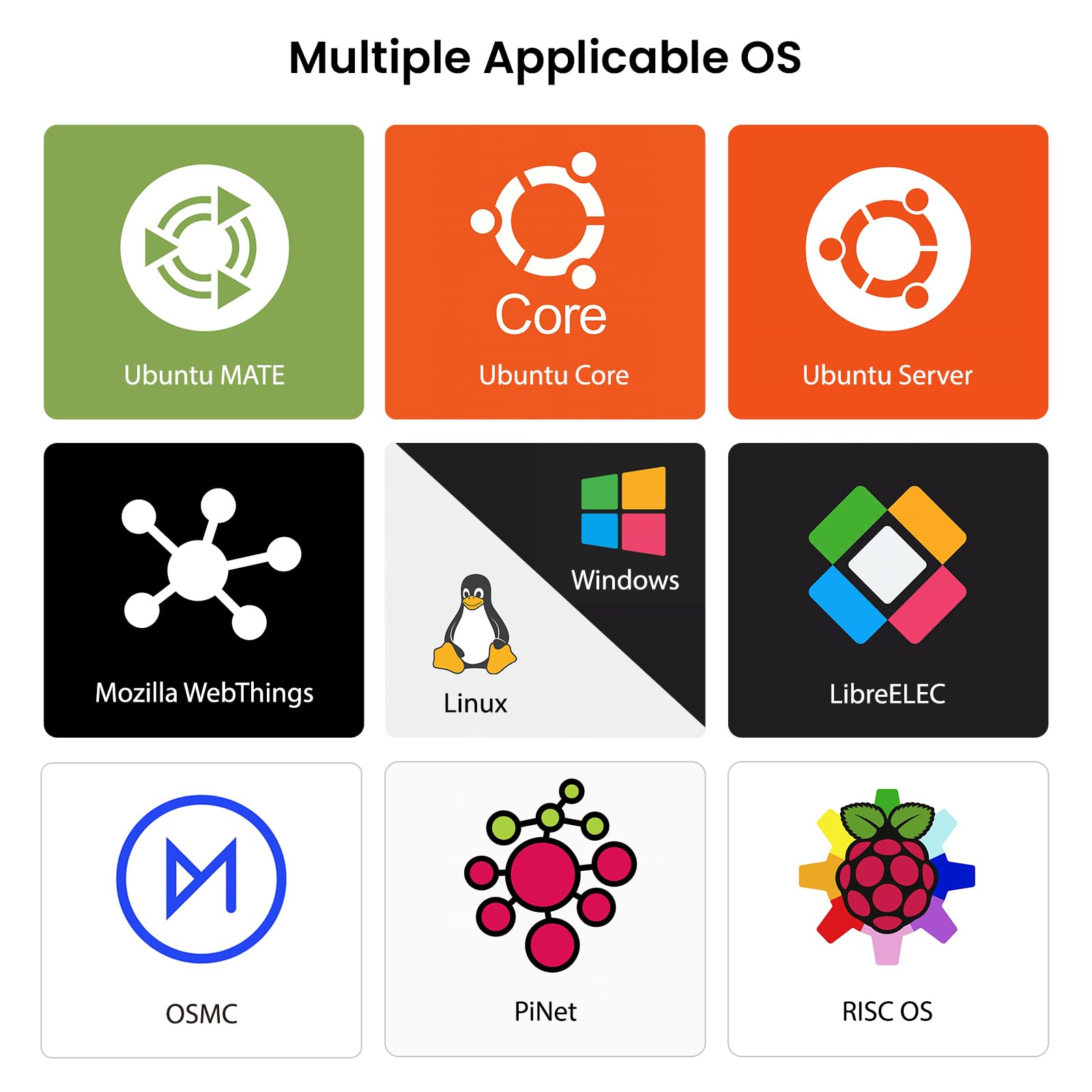
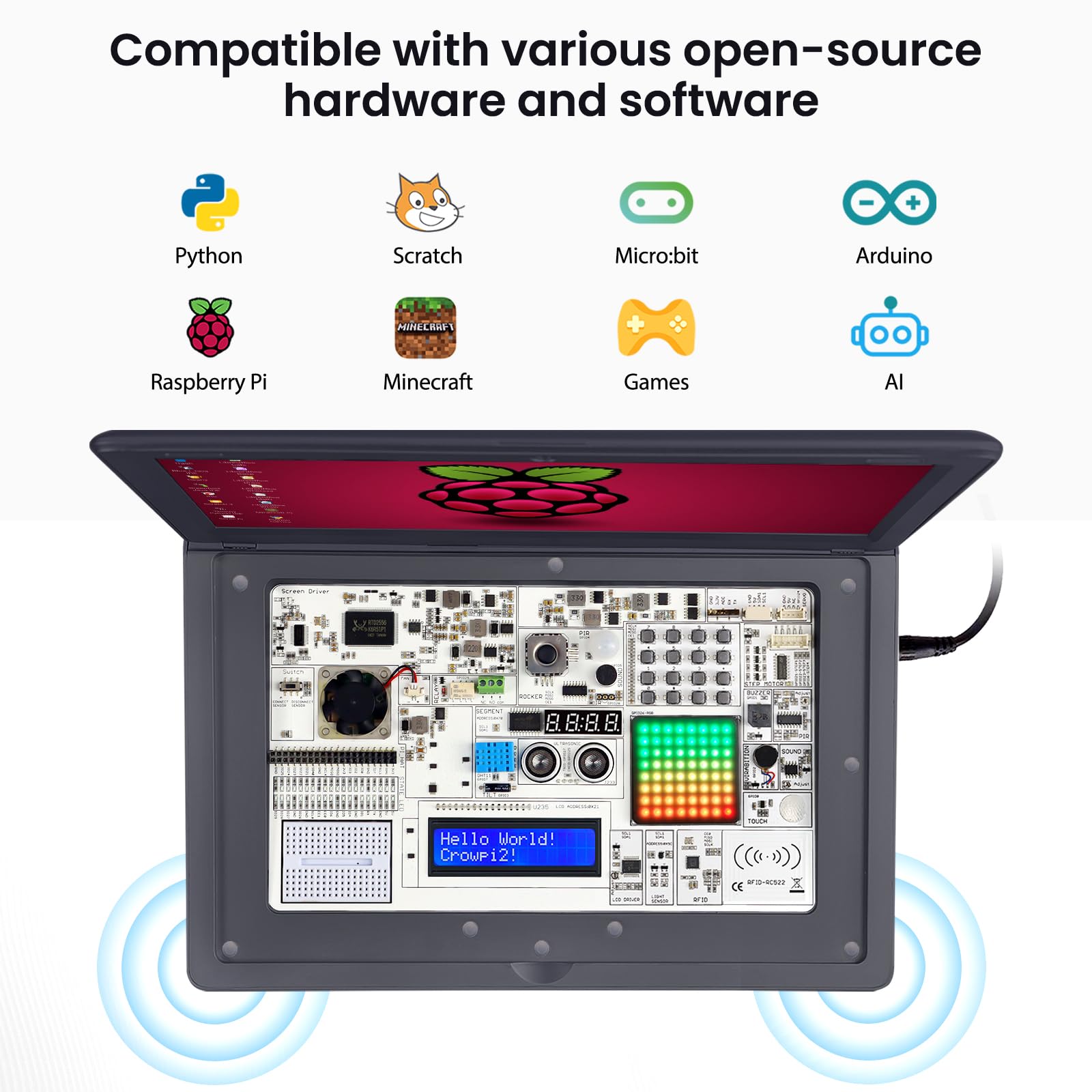
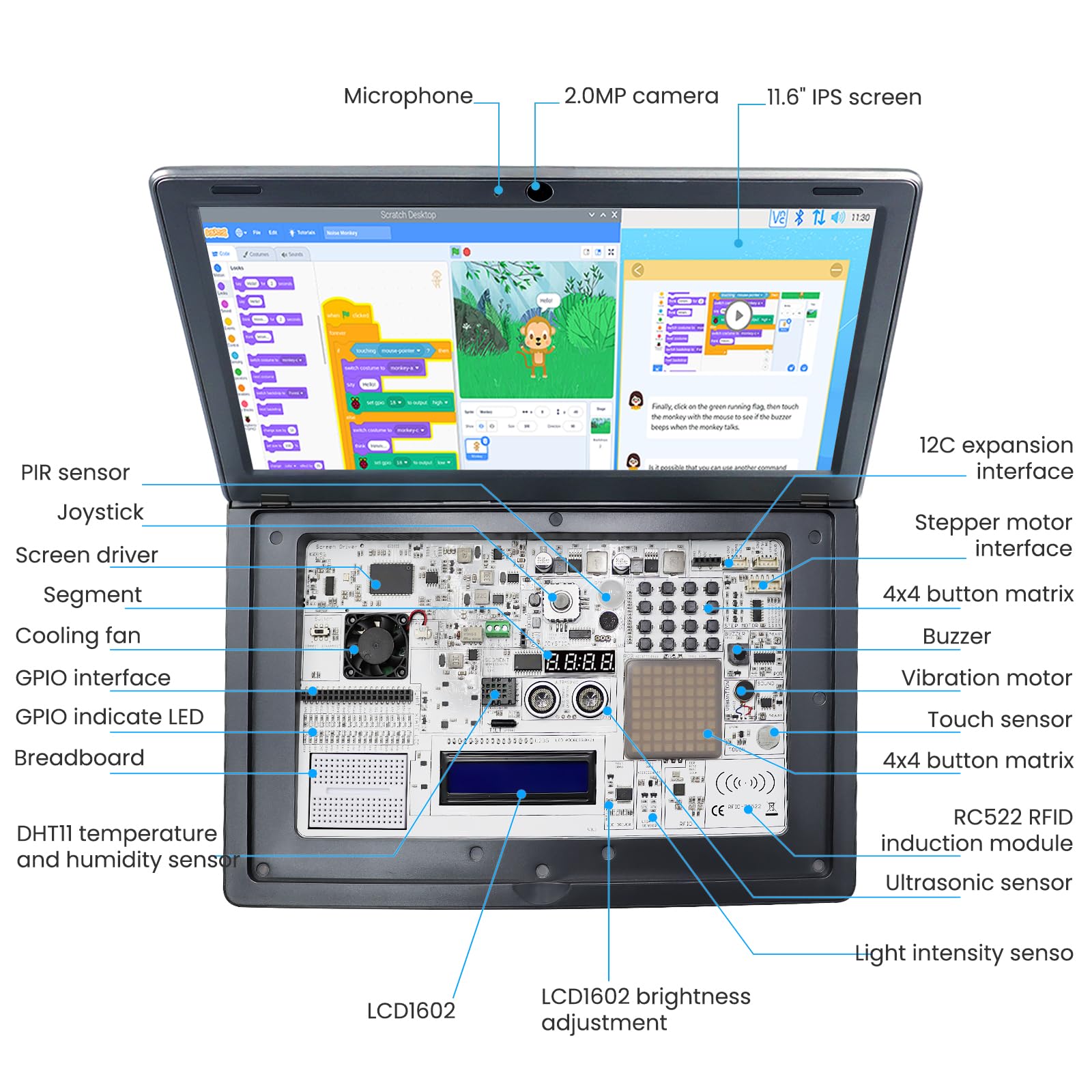
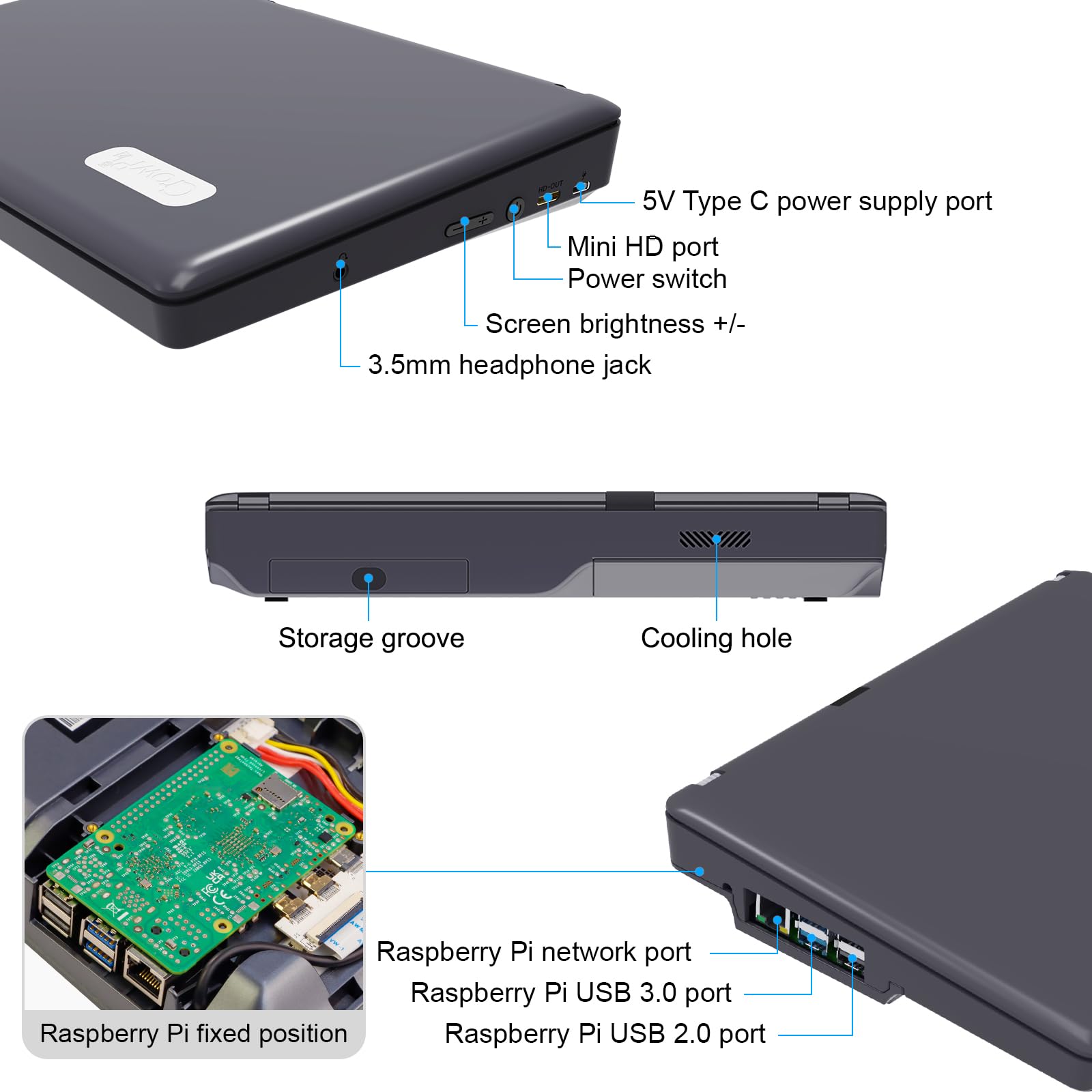
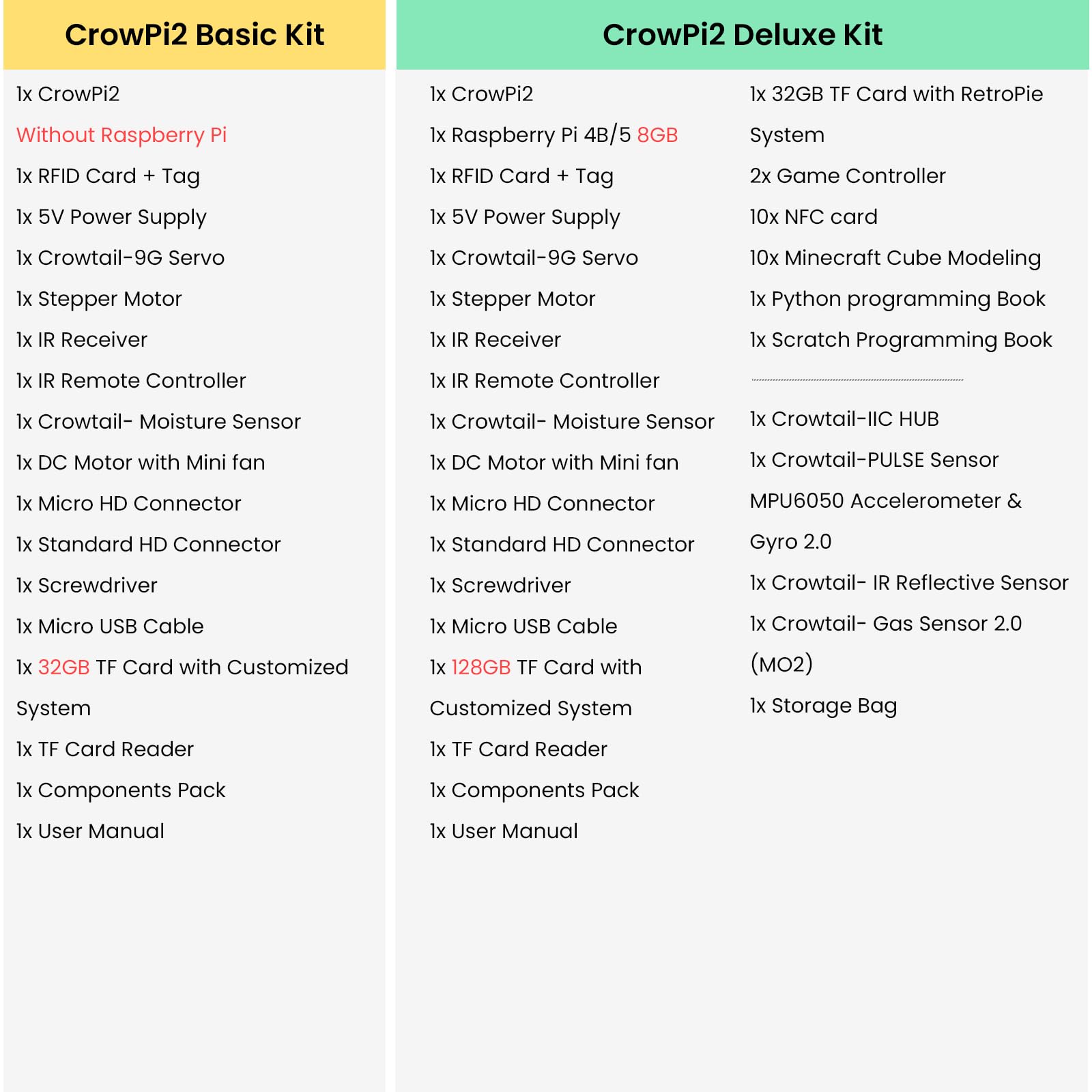
The ELECROW CrowPi 2 Basic Kit is a versatile, all-in-one Raspberry Pi laptop platform featuring an 11.6-inch IPS touchscreen, over 22 integrated sensors, and a preloaded 32GB TF card for offline programming in Scratch and Python. Designed for both beginners and professionals, it supports Raspberry Pi 4 and 5 boards up to 8GB RAM, making it ideal for STEM education, hobbyist projects, and advanced development in a portable, plug-and-play chassis.




| ASIN | B0FJFS5Y4D |
| Best Sellers Rank | #1,413 in Single Board Computers (Computers & Accessories) |
| Brand | ELECROW |
| Built-In Media | 1x CrowPi2, 1x User Manual, Various accessories |
| Compatible Devices | Raspberry Pi 4B/5 |
| Connectivity Technology | HDMI |
| Customer Reviews | 3.8 out of 5 stars 71 Reviews |
| Included Components | 1x CrowPi2, 1x User Manual, Various accessories |
| Item Dimensions L x W x H | 11.5"L x 7.5"W x 1.8"H |
| Item Weight | 2.3 Pounds |
| Manufacturer | ELECROW |
| Memory Storage Capacity | 32 GB |
| Model Name | CrowPi 2 |
| Operating System | Linux |
| Processor Brand | Broadcom |
| Processor Count | 1 |
| RAM Memory Technology | DDR4 |
| Total Usb Ports | 2 |
| Warranty Description | 1 Year Manufacturer Warranty |
C**M
It's simple, effective, and a great chassis for STEM learners or advanced developer work
Maybe a year before this device came out, I set myself a goal...to create a form factor case for Raspberry Pi hardware that was future-proof. Well, I succeeded at a prototype, but prototypes are clunky and a production system is hard to move in a niche market. It did, however, make use of Pi foundation standard resources, and allowed access to all the ports. Then Elecrow came out with this wonder. I had to say..."where was this a year ago?!" Elecrow offers a couple of different solutions for making a Raspberry Pi minicomputer usable and portable for novice learners, tinkerers, and professional developers alike. This is a simpler solution with far better streamlined and simplified integration. This is a self-contained chassis that, unlike the Pi400, does not require an additional monitor or additional hardware for battery power management. Also, you can put the 8GB Raspberry Pi 4 into this device (the Pi400 tops out at 4GB of RAM). It doesn't need to carry a board of sensors, displays, and buttons so the novice can learn and the professional can test. With a breakout board, you get full external access to the GPIO for hardware control systems. All you need is a ribbon cable, a breadboard breakout, and whatever electronic parts you want to work with. I dinged it 2 stars on the "easy to assemble" part for one reason...it's hard to swap micro SD cards. Elecrow does give you a nice 2-boot drive module which lets you switch between microSD boots. The downside, though, is that if you have more than 2 installations, it's difficult to swap cards. (Elecrow could have saved the hassle by extending the microSD socket to an external port on the housing.) But, I still recommend this for both education and professional developers. For education, it's an inexpensive way to make sure kids have access to a versatile STEM tool with GUI-based software that is compatible with industry-standard stuff that's out today (LibreOffice files will export to MS Office, GIMP runs with similar mathematics to Photoshop). For pro developers and engineers, it gives you a lightweight digital swiss army knife. Some tips: 1: You can run a raspbian build on this laptop without too much hassle. However, you should back up all your irreplaceable assets and make notes on what you can re-install from the software manager, then rebuild an image from scratch. It's tedious but you only need to redo it once. 2: Put the build you're going to use most often in the "B" slot on the microSD adapter, because it's going to be harder to access later. 3: Save the microSD card that comes with it...especially if you want to learn stuff. But it also serves as a "standard" for rebuilding later.
T**.
Good starter raspberry pi device
The CrowPi 2 is a neat device. It acts as a sort of laptop computer with a Raspberry Pi 5 at its core. I personally like the extensibility of the device in that it has tons of various sensors hooked up to the RPi's GPIO. It also has some HY 2.0 / Grove connectors allowing additional i2c devices to be attached. The components are hidden under a keyboard which connects through the wireless mouse's receiver. It also has webcam and microphone elements which it shows off in some of the machine learning tutorials. I tried the various lessons and thought they were good quality with lots of detail for getting started. It's definitely the sort of device I would have wanted to have starting out as you can learn each component as you work through the tutorials. They have additional information for Python and Scratch from some booklets as well. The advanced kit came with a good selection of parts as well and also a gaming operating system in addition to the learning one. I tried using my own operating system flashed on the raspberry pi and it had no issues with the keyboard or screen so it seems like a great system to both learn from and then continue beyond that for your own needs. Would recommend the device for both newcomers learning to do electronics programming and advanced users like myself who want a full package RPi setup.
D**N
DO NOT BUY This thing is TOTAL JUNK
This thing is TOTAL JUNK ALL YOU SPONSOR-PAID (BRIBED) PROPONENTS WHO FAWNED & GUSHED ALL OVER THIS PRODUCT: You’re all full of it. $399.00 for a SEMI-functioning $99 RPi. You have to be kidding me. The PACKAGING is well-laid-out-and-professional-looking. There are lots of cool GADGETS all over the place. There are numerous YouTube INFLUENCERS hyping your product release and I FELL for their "pitch. Computer programmer / penetration tester David from Rancho Mirage CA.
K**E
Great Idea, with a few stupid design fails
I bought this one and the crowpi 2. Out of the two, get this one every time, for what I want to do, its awesome. Having the built in battery, i can use it as a laptop and also mess around with learning how to use a pi in other projects. This is a simple and convenient way to get into learning about pi's and how to implement them. The good- decent battery life good size keyboard is very usable, large enough to use for programing. I like the idea of the switchable OS (switching to different memory cards) the bad- The 40 pin gpio port on the side- WHAT MORON decided that needs to be a smaller layout than the pi uses? now the only option I had is to buy a special made thing from your website to actually use the pins. i ordered it several weeks ago and I am still waiting on it to show up. It was like 2 bucks, include that with the laptop, charge me 2 dollars, what the heck? The color- is white really the only option? The mouse pad. I get you probably did the best you could, but a trackpoint would have been a better option here without killing the keyboard layout. The magnetic cover on the bottom - not the best way to do that, make it snap in place. Magnets really dont make sense. the fan- its loud and there had to be a better way to implement this. the GPIO label above the keyboard- put some LED's in there to indicate high or low so I can test programs without having to hook it up to something. No speakers? really? put a switch recessed on the side that I can switch the os with without taking a panel off, thats not too hard to implement. even better, extend the card reader to the side of the pi and give us the option of Micro sd or standard size SDs. Maybe add a standard size SD reader on the side for extra storage. The OS, make it work with the standard raspian os that we can get from the official site, but give us downloads that has scripts to implement the battery charge and all the extra stuff you want to add in. or just put all that crap on a card that is in the storage slot. How can I see the battery charge using another os? like kali or some other option in the second slot? give us a way to add those functions. overall - buy it if you are tempted, it is worth it. BUT, Elecrow, listen to the cons and give us another revision with the complaints addressed and ill buy it as soon as it comes out.
V**A
Amazing kit, well worth the price
Amazing kit to get started with Raspberry Pi. The convenience of having some basic components like sensors and displays built into the case itself is pretty handy, but also allows one to expand their experiments by exposing a number of I/O ports. The look and feel is marketed towards kids getting started with STEM, but there's enough here for adults to get into as well. Could you do the same with buying a basic Pi kit and those basic components separately? Sure, but having it in one unit will definitely make it less daunting for beginners. Likely cheaper, too, all things considered. Extra props to the company for resolving issues very quickly, too. A++ team.
J**A
Janky
Janky, noun: poor in quality, unreliable, or not functioning properly That's the best word I can use to describe this kit (poor in quality). The plastic feels cheap, it creaks just moving it around, and there's something rattling around in mine (though I sure can't find what.) The description and all accompanying documentation claims it comes with a 32 GB SD card, but mine didn't. (Interestingly enough the SD card is listed both in the parts that come with the Basic kit and only available in the other kits, so very VERY misleading). I had to go to their site and download a copy of their image and image my own SD card (a 64 GB card). Thankfully, that part was relatively easy and worked, so no problems setting it up. Just time consuming when the documentation said it should already be done. The keyboard is removable (nice feature) but it doesn't charge when placed back in the laptop so it must be charged separately with a micro B USB cable. Fortunately, they provide a six inch cable for the job, since micro Bs are getting hard to find. Oh and you have to plug it in for it to work the first time, just be careful with that. The keyboard doesn't fit perfectly either. It's warped (or the case is) ever so slightly so it rocks back and forth. Worse than that, and I cannot stress this enough, there is no page up or page down. This is designed for kids and hobby developers, who will be writing code that spans significantly more than 1 page. Without page down, it's painful (if not impossible) for any experienced programmer to use. In short, this is as effective of a development laptop as a doorstop would be. So you could probably use your own keyboard, but when you have the "laptop" on your lap and a keyboard and a power bank, it's kind of ridiculous. So yes, this is an interesting novelty, but as a computer, it's terrible. ALSO: THIS IS NOT A LAPTOP. I know, it says that, but it's not. It's just a fancy case for a Raspberry Pi. It does not come with a battery, cannot simply be unplugged and drug anywhere, etc. Although it will sit on your lap (and therefore a "laptop") it has none of the benefits of a laptop. The company's suggestion? Use a power bank and plug it in by USB. They even conveniently give you a tray for it to keep it out of the way. Isn't that lovely? It's about 2/3 the thickness of any standard power bank, so most won't fit. You need their special power bank, or you need to get very, VERY lucky in finding a power bank that's 8mm tall (typical is 13mm). The money you spend on this could be better spent on a Raspberry Pi, a monitor, and a keyboard/mouse combination that would work far better in general than this. But if you like niche, novelty things, go for it. It's a Raspberry Pi computer in a laptop-adjacent form factor. If you want anything more (like functionality, ease of use, sleek design, etc.), buy a cheap laptop and put Linux on it. Anything would be better than this. Two stars because it does work.
P**A
A Little Laptop for Learning Software Development
This little computer is powered by a RasberryPi 4B computer card and includes the Linux OS to allow running it as a regular laptop computer, but the most important thing about it is that it has all the drivers for the laptop hardware and I/O so you can connect and run external experiment hardware. The extra hardware is extra cost, but not very expensive. In addition the CrowPi L included tutorialos for learning to write software and to drive the external hardware to do real world experiments and to see things happen. It is also possible to install other Linux distributions. I downloaded and installed the Ubuntu distribution for RasberryPi and it booted and ran fine. This is quite a powerful little laptop, suitable for learning and experimentation. Recommended !!
B**T
Revised review - Works as expected, but getting there was fiddly
All of the problems referenced in my original review were caused by installing the GPIO board incorrectly. It is possible to position the GPIO board slightly too far away from the back of the computer and install it so only 1 row of pins is connected. Doing this causes the fan to spin as long as power is applied and causes Pi Panel not to run. For such a fiddly bit to get right the user manual really should say more. Something as simple as stating, "You will know the GPIO board is installed correctly when the tops of both 40-pin headers are visible through the holes in the board," would have made all the difference. A picture of that wouldn't hurt. I am upgrading my review from 0 stars to 3 stars. For me, 4 stars would have been my score if the product worked perfectly and had a great manual. I would never give 5 stars because the value per dollar compared against Windows and Chromebooks isn't there. It gets 3 stars because the user manual is terribly inadequate and because the assembly is fiddly (made worse by the poor instructions). In fairness, Elecrow responded quickly to my email to their support channel and to my Amazon review. They told me immediately what was wrong and how I needed to fix it. Elecrow's support always gets 10 stars from me because truly helpful support is such a rarity these days. Find something about the Pi community you are intrigued by and do business with Elecrow. They deserve the support. (Original review follows) I really, really wanted a Raspberry Pi laptop. I wanted it even though the price point makes no sense compared to Chromebooks and Windows laptops. So, I bought one to put a Rasbperry Pi 4 8GB in. The so-called user manual leaves a lot to be desired. The instructions on installing the 4 conductor ribbon cable omit any mention of which way is right way up. They also lack any instruction on installing the HDMI ribbon cable at all. Once the 40-pin GPIO board with fan is installed, the magnetic rear cover no longer fits. You can see how bad the fit is in the photo I included. When I booted the computer, I got a warning saying that the software had to run in a CrowPi laptop. Since it was running in the CrowPi laptop, and I couldn't find anything about the error on the Internet, this was a real problem. After boot, the Pi Panel software gave the same error and failed to start. I emailed Elecrow, but I haven't had a response yet. Finally the fan was a failure. It did not initially spin. After I spun the blades by hand, the fan started and spun. That was when I discovered that the fan doesn't stop spinning when the CrowPi L is turned off. It spins as long as there is power. Thus, it is a continuous battery drain. That's a critical flaw in a laptop. I really wanted to like this product, but, particularly at the price/performance spot where it sits, it is 0 stars and returned. I will note that I have purchased other Elecrow products, and I have found them to be high quality and their support to be responsive. I can't explain how and why they missed so badly with this product.
Trustpilot
3 days ago
2 months ago