Buy anything from 5,000+ international stores. One checkout price. No surprise fees. Join 2M+ shoppers on Desertcart.
Desertcart purchases this item on your behalf and handles shipping, customs, and support to Botswana.
🚀 Elevate your home office game with smart speed and sustainable style!
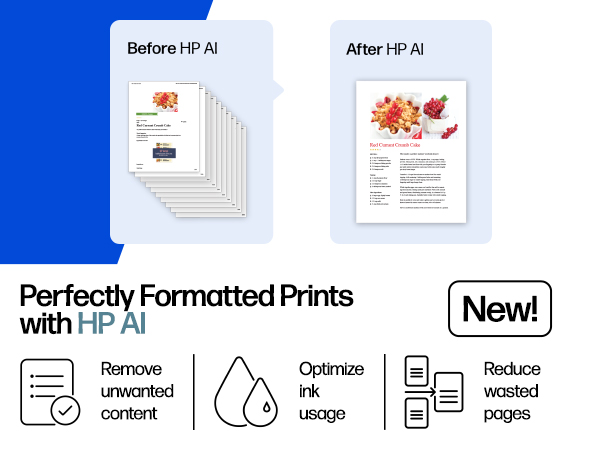
The HP OfficeJet Pro 8135e is a versatile all-in-one inkjet printer designed for home offices, delivering fast, high-quality color and black-and-white prints. Featuring AI-powered print optimization, wireless dual-band connectivity, a user-friendly touchscreen, and eco-conscious materials, it supports efficient workflows with scanning, copying, faxing, and automatic duplex printing. Includes a 3-month Instant Ink trial to keep you effortlessly stocked.


| ASIN | B0CFM7BTW8 |
| Additional Printer Functions | All In One |
| B&W Pages per Minute | 20 ppm |
| Best Sellers Rank | #11,340 in Office Products ( See Top 100 in Office Products ) #45 in Inkjet Computer Printers |
| Brand | HP |
| Built-In Media | HP 923 Setup Black Ink Cartridge; HP 923 Setup Cyan Ink Cartridge; HP 923 Setup Magenta Ink Cartridge; HP 923 Setup Yellow Ink Cartridge; Power Cord; Regulatory Flyer; Ink Caution Flyer; Setup Poster; Reference Guide |
| Color | Light Cement |
| Color Depth | 24 bits_per_pixel |
| Color Pages per Minute | 10 ppm |
| Compatible Cartridge | Original HP cartridges with HP chips or circuitry |
| Compatible Devices | Laptops, PC, Smartphones |
| Connectivity Technology | Ethernet, USB, Wireless |
| Control Method | App |
| Controller Type | Android |
| Customer Reviews | 3.8 out of 5 stars 3,668 Reviews |
| Display Type | touchscreen |
| Dual-sided printing | Yes |
| Duplex | Automatic (standard) |
| Hardware Interface | Ethernet, USB |
| Initial Page Print Time | 18 Seconds |
| Ink Color | Black, cyan, magenta, yellow |
| Item Dimensions D x W x H | 13.29"D x 18.12"W x 9.17"H |
| Item Type Name | Inkjet printers |
| Item Weight | 19 Pounds |
| Manufacturer | HP |
| Maximum Copies Per Run | Up to 99 copies |
| Maximum Copy Resolution Black and White | 1200 x 1200 dpi |
| Maximum Copy Resolution Color | Up to 600 dpi |
| Maximum Copy Speed Black and White | 12 ppm |
| Maximum Media Size | 8.5 x 11.7 in |
| Maximum Print Resolution Black and White | 1200 x 1200 rendered dpi Dots Per Inch |
| Maximum Sheet Capacity | 225 |
| Maximum print Resolution Color | Up to 4800 x 1200 optimized dpi on HP Advance Photo Paper 1200 x 1200 dpi input Dots Per Inch |
| Model Name | New Version |
| Model Number | 40Q35A#B1H |
| Model Series | 8130 |
| Number of Ethernet Ports | 1 |
| Number of Trays | 1 |
| Other Special Features of the Product | Forest First product with HP+; FSC Certified Packaging; Contains ocean-bound recycled plastic; 45% post-consumer recycled plastic; Recyclable through HP Planet Partners, HP Instant Ink eligible; Automatic document feeder; Touchscreen; Quiet mode; Print over VPN with HP+ |
| Output sheet capacity | 60.0 |
| Paper Size | 8.5 x 11;8.27 x 11.7;8.5 x 14;7.16 x 10.12; Inches |
| Power Consumption | 4.45 Watts |
| Print media | Paper (plain) |
| Printer Connectivity Type | Ethernet, USB, Wireless |
| Printer Output Type | Color |
| Printer Type | Inkjet |
| Printing Technology | Inkjet |
| Processor Count | 1 |
| Resolution | 4800 x 1200 |
| Scanner Type | Flatbed, 1-sided ADF |
| Series Number | 8130 |
| Special Feature | Forest First product with HP+; FSC Certified Packaging; Contains ocean-bound recycled plastic; 45% post-consumer recycled plastic; Recyclable through HP Planet Partners, HP Instant Ink eligible; Automatic document feeder; Touchscreen; Quiet mode; Print over VPN with HP+ Special Feature Forest First product with HP+; FSC Certified Packaging; Contains ocean-bound recycled plastic; 45% post-consumer recycled plastic; Recyclable through HP Planet Partners, HP Instant Ink eligible; Automatic document feeder; Touchscreen; Quiet mode; Print over VPN with HP+ See more |
| Specific Uses For Product | Home |
| Total USB 2.0 Ports | 2 |
| Total Usb Ports | 2 |
| UPC | 196337163942 |
| Unit Count | 1.0 Count |
| Warranty Description | One-year limited hardware warranty with option to extend to two-years with acceptance of HP+ Offer. For more info please visit us at support.hp.com . |
| Warranty Type | One-year limited hardware warranty with option to extend to two-years with acceptance of HP+ Offer. For more info please visit us at support.hp.com . |
| Wattage | 100 watts |
T**L
Perfect for a home office printer!
I recently purchased the HP OfficeJet Pro 8135e, and I believe this would be the perfect choice for anyone who needs a new printer for their home office. This has been my experience: Print Quality: Every document and photo comes out clear and vibrant. The range of printing quality for professional documents and for personal printing jobs such as photos has me impressed. Speed: Even larger print jobs were completed quickly, which is a huge time-saver. This printer boosts up to 20 pages per minute in black ink and up to 10 pages per minute in color. Another aspect that impressed me was how silent this printer was while printing multiple documents. Set-up: This was a breeze. I followed directions straight from my phone and it was set up within about 10 minutes of my time. The step by step walk through was very easy to follow, even for the non tech savvy. Reliability: This printer has handled every printing job I've thrown at it with consistent performance - no jams, no errors. While I have only used this printer briefly, my last printer was hp, and these printers have proved to be reliable long term for me. Color Accuracy: The color accuracy is true to life, and the details are sharp which making photo printing a delight. I am able to avoid the hassle to avoid taking extra trips to a print shop for similar quality documents. Features: The duplex printing feature stands out, allowing for easy and efficient double sided printing. Additionally, the wireless printing capabilities have made it incredibly convenient to print from any device, even your phone, and ability to print from separate rooms. I also noticed a USB connection option which makes printing more accessible when using spotty wifi. This printer offers scan copy print, and fax options. Overall Satisfaction: I am extremely satisfied with the HP OfficeJet Pro 8135e. It has made my work and personal printing tasks much more manageable and enjoyable. I recommend this printer to anyone looking for a reliable and high-quality printing solution. Something to be aware of is there are other options if you want a smaller printer. I've posted pictures for comparison. However with all the features you would want or need in a home office printer, I was expecting a much larger device.
N**S
Terrible - DO NOT BUY
This is a TERRIBLE printer. First, the plastic is so thin that I thought I was going to break it when I opened it to load the ink. Second, when it prints, it is L-O-U-D! My experience: Right out of the box, I used the app (God, I wish manufacturers would stop requiring an app for every setup) to set it up. When it tried to print a test sheet, the paper jammed. I cleared that and tried again, and again and again (6x total) before I got it to successfully feed a sheet. When it did, nothing printed, and it gave me "paper tray is open" error (it wasn't). Cleared it all again, and on the fourth attempt, it finally printed... but again, "paper tray is open" error again. Then I tried to print from my computer - paper jam... FML. I connected it to my laptop via a USB cable, but it wouldn't recognize the connection and kept trying to connect via WiFi (way less reliable). That was enough! I couldn't return this thing fast enough. What a PoS. DO NOT BUY THIS PRINTER. I replaced it with a Brother printer that worked seamlessly right out of the box. I used to be an HP loyalist, but they have simply devolved to producing cheap crap. I will never by HP again.
K**S
Budget friendly all in one printing device
The HP OfficeJet Pro 8130e is an all in one unit that prints, copies, scans and has fax capabilities. I chose this printer as a home consumer with medium volume printing needs who wanted the ease of a Wi-Fi connection for printing from my various devices. Setup was relatively straightforward with the included quick start guide which directed me to download the HP Smart app. Connecting to my network was effortless and through the step by step setup guide in the app I was printing my first page in under ten minutes. This device is in the family of HP+ printers (as indicated by the letter e at the end of the model number). HP+ is an optional program that provides a few "features" but the one that stood out to me was the inability to use third party ink if activated so I opted to decline HP+. You will want to do your own research before making a decision on this. The print quality and speed are impressive for an inkjet printer that is not a dedicated photo printer. See my attached photo for a comparison of a high quality print sheet image compared to the actual printed version. Some quality is lost in photo printing, but again, this is not a dedicated photo printer. I wish the ink cartridges had a higher page yield (cartridge yield is approximately 500 pages from black and 400 pages from each color). To be fair, I own a b&w laser printer and am spoiled by the longevity of a toner cartridge but I have always preferred high yield cartridges for their convenience and cost savings. Overall I am pleased with this printer given its cost vs performance. Time will tell how it holds up and how long the ink actually lasts. I have not yet experienced any of the issues outlined in other reviews and will update my review if I do.
D**N
Color ink printers suck, but when your low on money... meh
Does everything as advertised. I personally HATE ink jet printers, I can't stand them but when your main printer breaks and low on funds this was a good option. First printer the paper tray was damaged and jamming up, I had to reglue a piece of plastic that was broken on arrival. That being said, its NOT very sturdy. The printer I think will last some time if you baby it. This is not like the old HP laserjet tanks you can drop kick when it says PC LOAD LETTER like office space! The HP smart software it comes with and crams down your throat is decent, and works well. The scanner software required some fidgeting to get the scanner assistant to stay connected with my main computer. Also, I am not happy with HP locking me into ink, right away the new printer complained about using the ink from the previous printer and DEMANDED I use the new ink it came with. Yes there is a work around, but I did not look into it and gave in to what it wanted. Other issue, DO NOT turn on Confirm Fax Number! As most places do not have the number set on their end and the fax will cut out WITHOUT telling you why it failed (THIS WAS SO ANNOYING)!!!! So far working well. prints very nicely, I have not tried photo paper yet. Scanner max at 600 for AUTOFED documents, 1200 for flatbed. REALLY wish it did double sided scanning, but for the price it's not going to happen. I would recommend this printer so far, I will update in a few months after the ink has been sitting around and see if the quality is still the same. NO Linux drivers but mDNS will get you most of the way setup. Also start/shut down option is nice, BUT you can't use BOTH, so either auto off, or auto on. For my use auto off is good enough. I have yet to find a wake to Wake on Lan w/magic packet but still looking into this. By the way, I HATE INKJET printers! 😊
U**R
Perfect Replacement for My Old Home Office Printer – Solid HP Quality
I recently replaced my old home office printer with this HP, and I couldn’t be happier with the upgrade. My previous printer had started slowing down, jamming more often, and just wasn’t keeping up with my daily printing needs. This HP has been a solid, reliable replacement. The size is perfect! I expected to have to go with a larger footprint with all the features this has, but was pleasantly surprised to find this smaller printer had everything I needed in a small, lighweight package. Setup was straightforward and quick. Within minutes, I had it connected to my Wi-Fi and printing from both my computer and phone without any issues. The print speed is noticeably faster than my old unit, and the print quality is sharp and professional whether it’s documents, spreadsheets, or the occasional color page. What I really appreciate is the HP quality. No random disconnects, no frustrating paper jams so far, just dependable performance. That’s one of the reasons I’ve always trusted the HP brand. They’ve built a reputation for durability and reliability, and this printer lives up to that. For a home office setup, this has been exactly what I needed: efficient, easy to use, and built by a brand I trust. Definitely a worthwhile upgrade, especially at the selling price.
B**Z
Great multi-function printer
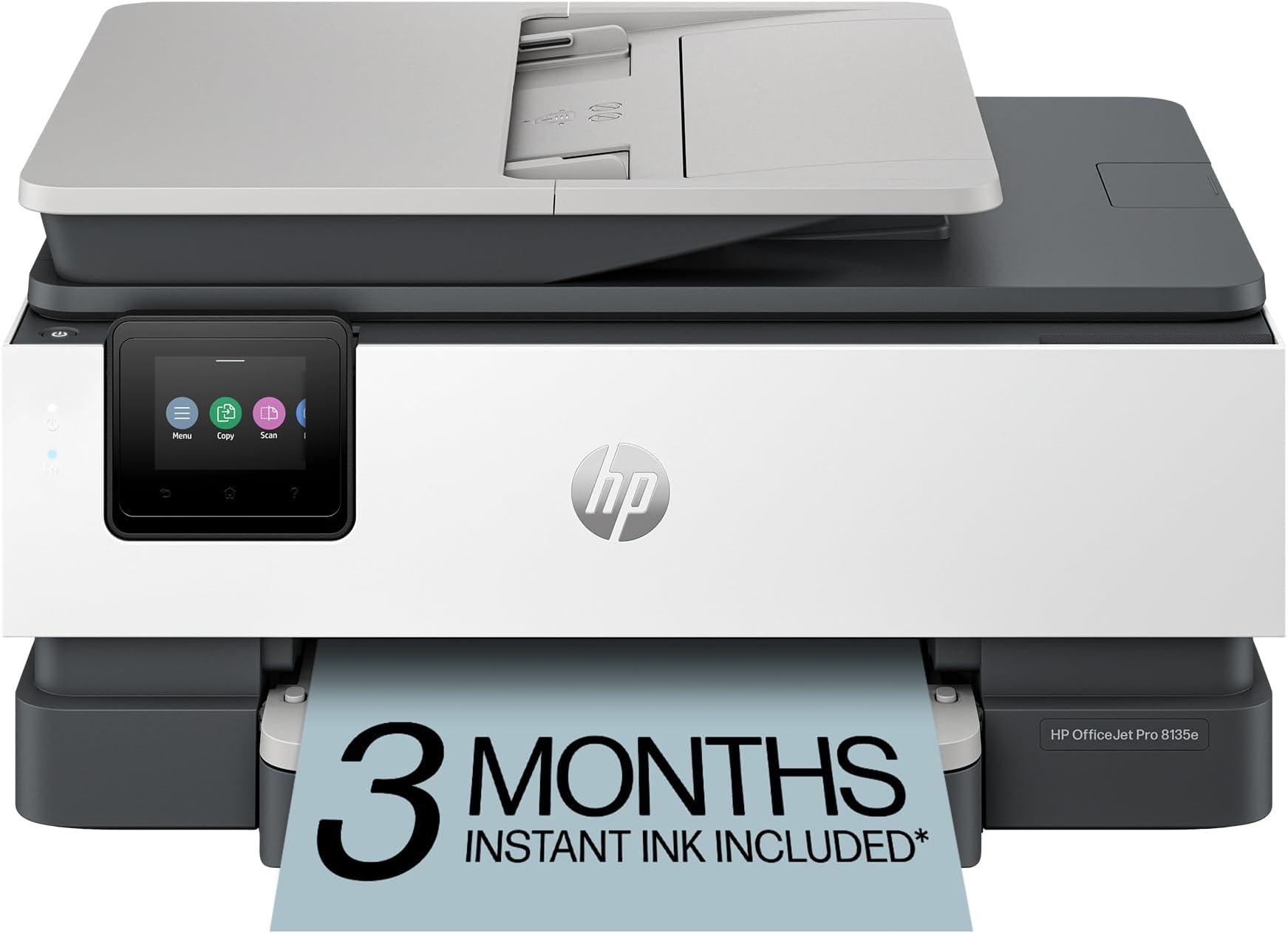
I was given the opportunity to use and evaluate the HP OfficeJet Pro 8135e printer, and I am impressed with the functionality of this printer. Here’s a detailed review based on my experience so far: Setup and Usability - The design is sleek and professional, fitting well in any home office setting. It has a compact footprint considering its features. The printer was very easy to setup and add to my wireless network. After following the instructions and setting up the printer, I was printing from my phone within minutes. With many devices in the house, it is critical that anyone can printer whenever they need. Whether it be for school, work, or just a fun, this capability is critical. Performance - The printer delivers high-quality prints with great color and sharp text, making it ideal for all my needs. This thing prints fast, around 20 pages per minute for black and white and only slightly slower for color. Even though I would never need to print that much so fast, it is great to know it can if the need arises. Features - The OfficeJet Pro 8135e comes equipped with a variety of features that enhance its usability. The automatic document feeder and double-sided printing save time and reduce paper, which is a big plus. The touchscreen interface is intuitive and responsive, allowing for quick navigation through settings and print options. Connectivity options are robust, with support for Wi-Fi, Ethernet, and USB connections. With the HP Smart app you can print remotely from smartphones and tablets. The integration with various cloud services using the Smart app makes accessing any file a breeze. Overall value - The HP OfficeJet Pro 8135e is an excellent multifunction printer that balances performance and functionality. With its competitive pricing in the all-in-one printer market, it offers great value for small to medium-sized businesses or home offices. Whether you need it for casual printing or more demanding workloads, the 8135e is a reliable choice. This HP OfficeJet Pro is both a versatile and efficient printer. If you are in the market for a new multi-function printer, this one is a solid investment. I would highly recommend the HP OfficeJet Pro 8135e to anyone seeking a new printer.
J**S
Nope! Wouldn't Buy Again
I don't love it. It's been hard to pair to my computer and phone for printing. It seems poor quality compared to my last HP printer. The ink goes sooooo fast!! I just do not like how it operates. The size is perfect. Not too big to have on the counter. The quality is great when the ink is full enough to print but like I said the ink goes so fast I rarely get a good quality print. Steer clear of this printer.
C**Y
Poor Quality and Terrible Support
This printer is of extremely poor quality and is coupled with horrible HP support. The first printer lasted approximately 5 months before failing with WIFI not being recognized even when the printer indicates it is working. After numerous calls and hours on the phone, HP replaced the unit. The replacement unit lasted 4.5 months and it failed in a similar fashion. After finally getting through to a real person and 3hrs of diagnostics on the phone, I was disconnected. They never called back. Go through the same horrible AI system again and finally after becoming irate they put me in touch with a manager. The manager replaced the printer again. The new printer came through with defective print cartridges and is missing the label that should show the VIN number necessary for HP diagnostics. I give up. I suspect this 3rd piece of garbage may last a few months before it becomes unusable and lands in a landfill. I have purchased several HP computers and printers in the past that provided years of service. Never again will I buy another HP product.
R**N
Bon produit
Produit à temps et depuis l’utilisation aucun problème
V**L
DOES NOT WORK WELL - DRAINS INK - TIME & MONEY WASTED
We now have two HP printers - neither of which work well - and we regret buying them. The HP OfficeJet Pro uses too many mechanical processes to print or scan. I still can't get a driver for the Fax - so that doesn't work either. Called HP Customer Service who did not know how to fix this problem and wasn't able to email a link to download the driver for our OS - this after hours wasted on phone call. The machine also uses TOO MUCH INK - cartridges are more expensive than other models. The HP online Account is useless - and often blocked if it records your computer IP & #. It takes too much time to configure even when the driver downloads are available. WASTE OF MONEY We should have bought the more $$$ Brother all purpose.
N**L
Outdoes all other printers!
I’m really impressed with this printer! It can print from anywhere in the house, which is super convenient. The installation process was quick and easy, and it fits well in compact spaces — it's small but not too small, which is perfect for my setup. The only downside is that the paper tray is a bit shallow. If you print often, you’ll need to refill the paper more frequently than I’d like. Other than that, it’s a fantastic printer that does everything I need. Highly recommend this printer — especially for those looking for space-saving options and seamless printing from anywhere in the house!
P**C
Accessoires d’imprimante
Mini cartouches d’encre et le prix est quand même assez élevé
A**F
Polyvalente
Facile à installer
Trustpilot
1 month ago
2 days ago