


Buy anything from 5,000+ international stores. One checkout price. No surprise fees. Join 2M+ shoppers on Desertcart.
Desertcart purchases this item on your behalf and handles shipping, customs, and support to Botswana.
โก Power your network like a pro โ fast, smart, and green!
The TP-Link TL-SG608E is an 8-port managed Gigabit Ethernet switch designed for professionals seeking reliable, high-speed wired networking. Featuring advanced QoS, VLAN, and IGMP snooping, it ensures optimized traffic flow and enhanced security. Its fanless metal chassis guarantees silent, durable operation, while energy-efficient technology reduces power consumption by up to 58%. Ideal for home offices and small businesses, it combines plug-and-play ease with powerful network management capabilities.





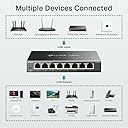
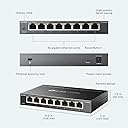




| ASIN | B0BVRK6L2V |
| Best Sellers Rank | 5,048 in Computers & Accessories ( See Top 100 in Computers & Accessories ) 39 in Network Switches |
| Box Contents | TL-SG608E |
| Brand | TP-Link |
| Brand Name | TP-Link |
| Color | Graphite Black |
| Colour | Graphite Black |
| Compatible Devices | Desktop, Camera, Router, Printer |
| Compatible devices | Desktop, Camera, Router, Printer |
| Customer Reviews | 4.7 out of 5 stars 213 Reviews |
| Data Transfer Rate | 1000 Megabits Per Second |
| Included components | TL-SG608E |
| Interface | RJ45 |
| Item Dimensions L x W x H | 15.8L x 10.1W x 2.5H centimetres |
| Item Weight | 640 Grams |
| Manufacturer | TP-Link |
| Manufacturer Part Number | TL-SG608E |
| Maximum Power | 3.68 Watts |
| Model Number | TL-SG608E |
| Number of Ports | 8 |
| Number of ports | 8 |
| Platform | Not Machine Specific |
| Product Warranty | Limited life time |
| Product dimensions | 15.8L x 10.1W x 2.5H centimetres |
| Switch Type | Network Managed Switch |
| Upper Temperature Rating | 40 Degrees Celsius |
C**S
Easy to set up
Good value, excellent performance.
S**S
Perfect little Network Switch
A really easy to manage network switch. Perfect for a home network or a more complex network with multiple VLans. Super fast with 1gb speeds and works a treat for the purposes I am using mine for
M**B
Looking at buying expensive WiFi extenders ? Donโt buy this
So easy to use just plug the deceive in to a power source and extend your cables to this box. Iโve got a large house with WiFi limited to the downstairs and kitchen area. So I ran a cat6 cable from my Bt router to this box and it instantly gave me the ability to plug in a WiFi extender and my computer and ps5 at the other end of the house. Donโt buy expensive WiFi expanders costing 100โs of pounds buy this and a cheap wireless extender and save yourself a fortune and have so many other devices you can also plug into the system.
F**R
Good VLAN switch
I needed to give my network better security by separating some elements and combining others. This switch is small and low powered. It has lots of flexibility to create custom VLANS by separating and combining the ports. There are three configurations available: MTU, port-based and 802.1Q. Easy to set up with the management program Very satisfied.
D**V
Works good
Unpleasant to setup VLANS but done them so it works good, not Cisco but do the job well so far so I would highly recommend it so home maybe even small business. Definitely worth the money the value is great as no noise no overheating - little work horse that is!
S**A
Good price, more control over internet congestion
Really like this product for the price and its extra function to manage your switch.(bought it on discount at just over ยฃ30) You get the extra ports, solid build and great to have the choice of managing how things are prioritised. Even monitor how things are flowing. I've yet to get to grips with it, but if this will be you're first foray into switches, this is a great first purchase and still be part of whatever system you use in the future. Or even just end up sticking with this one for the next decade, maybe two. Good price, great value, good function, and seems to do what it was built for.
D**E
Very cost effective L2 switch
I purchased this to help debug my home network. I've been having trouble with wireless mesh repeaters. The loop detection quickly identified the problem - mesh expanders talking to each other and the main router. That shouldn't happen, but was. Using the QOS feature, at least i could get in to see what was generating the 'storm'. Now the network is stable, I like how you can see the (very much reduced) traffic being directed between ports. Not like an un-managed switch where they all flash together. Layer 3 management would be nice, but you are looking at old text-based units or dodgy asian ones that tie you into their website. This isn't latest tech (2022 firmware), but wired Gigagbit ethernet has been around for a while! Recommended.
T**N
Great
Wonderful
Trustpilot
2 weeks ago
4 days ago