Buy anything from 5,000+ international stores. One checkout price. No surprise fees. Join 2M+ shoppers on Desertcart.
Desertcart purchases this item on your behalf and handles shipping, customs, and support to Botswana.
⛳ Elevate your game with data-driven precision and portable power!
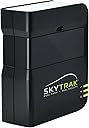
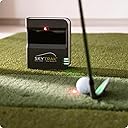
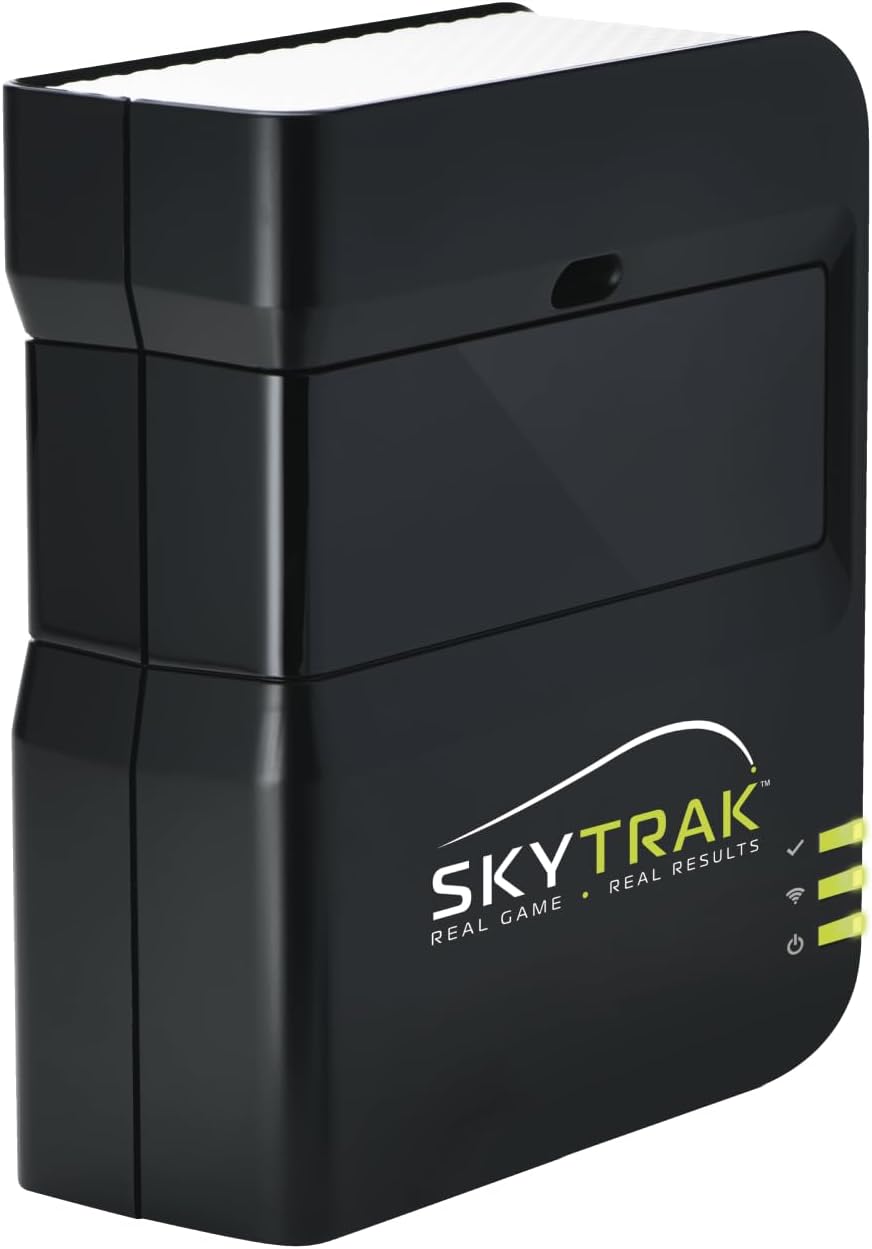
The SKYTRAK Golf Launch Monitor uses advanced photometric technology to deliver real-time, accurate measurements of ball speed, spin, launch angle, and shot shape. Its wireless, portable design with a rechargeable battery supports seamless indoor or outdoor practice. Compatible with iOS, Android, and PC devices, it offers instant 3D ball flight visualization and includes a 14-day trial of game improvement software, making it an essential tool for golfers serious about improving their game.


| ASIN | B01KZNMS2Y |
| Additional Features | Package Includes 30-Day Game Improvement Software Trial |
| Aspect Ratio | 16:9 |
| Best Sellers Rank | #68,088 in Electronics ( See Top 100 in Electronics ) #674 in Golf Swing Trainers #1,436 in Computer Monitors |
| Brand | SkyTrak |
| Camera Description | Camera-based system |
| Color | black |
| Compatible Devices | iOS, Android, PC |
| Connectivity Technology | HDMI |
| Customer Reviews | 3.8 out of 5 stars 191 Reviews |
| Display Resolution Maximum | 1024 x 600 Pixels |
| Display Technology | LCD |
| Display Type | LCD |
| Hardware Connectivity | USB |
| Has Color Screen | Yes |
| Is Electric | No |
| Item Dimensions D x W x H | 9"D x 18"W x 12"H |
| Manufacturer | SkyTrak |
| Model Name | SkyTrak |
| Model Number | 75SH001 |
| Mounting Type | Desk Mount |
| Native Resolution | 1024 x 768 pixels |
| Picture Quality Enhancement Technology | Photometric-based image capture |
| Processor Count | 2 |
| Resolution | XGA |
| Screen Finish | Glossy |
| Screen Size | 5.75 Inches |
| Screen Surface Description | Glossy |
| Shape | Rectangular |
| Total USB 2.0 Ports | 1 |
| Total Usb Ports | 1 |
| UPC | 854554004201 |
| Unit Count | 1.0 Count |
| Viewing Angle | 170 Degrees |
| Warranty Type | 6 Month Warranty |
T**J
Does What it Says
This is an awesome product. I did a lot of research prior to purchasing the SkyTrak, and am glad I decided to go with it. I have it setup in my garage with the Net Return Pro Series and their 6' x 10' hitting mat. I utilize my wifi network at home for the iPad and SkyTrak, although I have tested it out on what is called "Direct Connection", and it works fine. I have had a few issues, but at least one of them was my fault. I was having trouble one night with it not projecting the laser for my golf ball, but after researching the three light communication system I realized it was due to the SkyTrak not being perfectly level. Now when it does that, I know just to adjust it until it's in a spot it likes. Another issue I have been having recently is the SkyTrak app abruptly closing while I'm trying to use it. I honestly don't know if this is due to the SkyTrak, or my iPad (I have a brand 2017 iPad, by the way). Since I'm not sure what the cause of this has been, I'll be hesitant in blaming the SkyTrak unit. Whatever the cause, I was able to remedy the problem by deleting the SkyTrak app from my iPad, then reinstalling it. Why this worked, I have no idea, but I have used the setup multiple times since the issue with no further problems. In terms of the SkyTrak's ability to accurately track your golf shots, I think it does a great job. When I mishit, it tracks it exactly as I would have expected. The distances, club speed, ball speed, ball apex, and overall flight do seem to mimic my game, so to the best of my knowledge it is accurately reading my shots. If you are considering this unit, you need to understand it does not come with anything at the base price other than the driving range. If you want any of the challenges software, or shot history perks you will need to subscribe to their "improvement package", which I believe is around $100 per year. If you want actual golf courses, they have several software packages that range from yearly subscription amounts, to their package called The Golf Club, which you can outright buy for around $900. I haven't made my mind up on any of these additional purchases, as the main reason for my purchase was to have the driving range and be able to practice at home. Overall, I think this product does what it says it will do. I have really enjoyed being able to go out to my garage and hit 40-60 golf balls whenever I feel like it, and I know it will be a great benefit in improving my golf game.
M**L
Absolutely amazing for the money
Yes, you're going to get some misreads/nonreads. Lets just get that out of the way. Its not a Trackman. If you want perfect performance go spend literally 15-20x as much. This also does come with just a bit of a learning curve, but seriously, for the money you are NOT going to get a better LM. I was considering anywhere from the Garmin Approach R1, Rhapsodo MLM2Pro, up to the Bushnell Launch Pro. My eyes were deadset on the Mevo+ but I was really hesitant with radar-based in my smaller space and potentially for interference with it being in the garage. This changed everything, and getting it on a crazy sale made it even better. I could not be happier with a LM purchase. Gets a 4 star for accuracy because of the aforementioned misreads. But that's life.
C**S
Beyond Frustrating
This is my 3rd SkyTrak unit over the course of 5 years. I regularly buy and sell when I feel that it’s time to upgrade or change around my golf set up. I have owned several of the most popular units aside from SkyTrak, including Garmin R10, and Bushnell launch pro. My first 2 SkyTrak units were flawless. Simply set it down, align to target, and off you go. Occasional misreads or more commonly, no reads, happen but I was fairly used to how to set the ball based on a shot I was hitting so it wasn’t a big deal. Connection in direct mode has always been very stable, because I have a good, stable internet connection. The unit I recieved recently, honors not work like my previous units have. I place the unit down (FMJ case is a must) and start hitting shots in the range. EVERY shot is a 30-40 yard pull left, even when I’m aiming so far right, I’m hitting the right side of my 8’ wide net, SkyTrak still says the shot was pushed 2 degrees left. To make sure the case I recieved wasn’t faulty, causing a misalignment, I placed the unit on my mat without the case, and rotated the unit until the ball was hitting the middle of the screen, and the SkyTrak showed a “relatively” straight starting line. I normally struggle with not hitting a cut/fade, so it was interesting that all of the shots picked up by SkyTrak showed a massive draw/hook with over 1000rpm of left side spin. If you do enough research about the OG SkyTrak, you will find that HLA (horizontal launch angle) is the weakest measurement SkyTrak has. Alignment is imperative, and without having a full blown simulator setup, alignment.m can be frustrating if you are just hitting bslls into a net. I was planning on exchanging it for another unit, but I’ll likely just save up for another bushnell launch pro. The bushnell is far superior in every way imaginable, and aside from the expensive yearly subscription, it’s a no brainer to upgrade. I have attached a photo of how crooked I need to set my unit up in order for it to read a straight starting line
C**A
A good unit for the price
My wife bought us both a hitting net for a Christmas gift. I decided that was not enough just to hit golf balls in the shop, so I decided to purchase this SkyTrac Launch Monitor. It was pretty simple to set up on an older laptop which I link to a 55-inch TV in our shop. Thinking about purchasing a projector with the hitting back-drop, but not quite to that expense yet. I would suggest purchasing the protective case – makes it much easier to level (IMPORTANT) and it certainly does protect the investment. We use it about three(3) evenings a week. We have added an exercise regime to our play by having our treadmill set next to the hitting mat... take turns hitting and walking. The putting portion of play works, but is hard to get used to because of not having the projected course in front of us. We usually set the gimmy distance to 10-ft and then have automatic two(2) putts anywhere on the green. I have played with putting – makes you mentally envision distances. Something to make note of which is in some of the reviews: I found the distance to be consistently ten(10) to fifteen(15) yards shorter than actual playing. I compensate for this by setting a higher elevation, lower humidity, and higher temperatures. It is not perfect but works. Also, there are times when it just does not pick up on shots. It is not often, but get used to that possibility. We have also found that setting the ball about 1/2” to 1” behind the laser dot produces the best consistency. For driving, we purchased these tees (link below). This allows us to keep the launch monitor in one(1) place rather than move it when we are teeing off - much better to use than the traditional rubber tees for hitting mats. https://www.amazon.com/dp/B0C9V2VVTJ?ref=ppx_yo2ov_dt_b_fed_asin_title&th=1 We also purchasing the Core Trackman Membership – all in was about $300.00 for the year ($25.00 per month). We have enjoyed the variety of courses, which includes par-3 courses. There is also just the improvement package for $100 per year. No additional courses, but will apparently analyze your performance – have not ventured on to this yet. Trackman Membership includes this feature. For the money, this was a good purchase. I gave it four(4) stars just because of some of errors, but really would place it 4.5-stars – not a deal breaker. It keeps our golf swings going through the winter months and it really is an enjoyable item for us. We have had friends over for social rounds while watching sports. Perhaps someday we will venture on to a higher priced version, but for now this is a good investment for us who love the game.
M**A
Maybe it’s just me
Easy to setup, connects with zero issues. It’s expensive at $800 but far less than other websites. Not bulky nice for transport. Only issue is the consistent performance as it doesn’t track every ball you hit. I take my time and line everything up but will only track half the balls I hit. In my opinion save your money and buy something that’s newer maybe less frustrating.
B**G
Exceeded expectations; lots of fun
I started with a Garmin R10 and it didn’t work for my garage setup. Skytrak was my second choice (only because it was more expensive and didn't work with my iPad version). I should have bought this first. It is awesome! It works in tight spaces. In the beginning, I had an issue getting it to read shots on a tee and I turned to the internet for recommendations. I bought tees recommended by multiple people, which was a game changer. I love the software and courses (paid subscription required but lots of options and courses). It is a lot of fun and feels really accurate. Great buy.
S**T
Works great
Awesome equipment. Very pleased with the accuracy of this low end model
D**D
Not reliably accurate
Pretty unreliable product. Had it about a month. Sometimes glitchy to get connected to iPad. Lots of practices sessions where it doesn't record/pick up a shot about half the time; 4 or 5 out of 10 swings get recorded. Worst part is that it does not consistently record distances accurately. Sometimes it does, some times it doesn't. I know about how far I hit each of my clubs. Some days this thing tells me I am hitting my 4iron 150yards when I typically hit it 225. I'll test it by swinging slowly and it'll say 150, then I'll swing as hard as I possibly can, hit it square, and it will say 160. Took it to an outdoor range and confirmed my concerns.
M**P
Old tech but still really good.
Even if the tech is several years old it's still a really good golf launch monitor.
A**R
Absolutely Garbage
First of I was very much looking forward to using this unit. Built an enclosure and had to do minor Reno for my play area. For everything it claims the simulator can do, I saw no evidence of that. The unit did not properly connect to my pc or to my smartphone. It literally took both smartphone and gaming pc just to even register the unit. It would not direct connect or connect to my network. When it was connected using the provided usb cable, it would not read a single swing. Wasted severals days and hours trying different troubleshooting techniques. New balls, different brand balls Titlest, Kirkland, Taylormade etc. This made no difference. Ball moved further up, moved back or to the sides all had same results. It also doesn’t help that the Simulator has no means to tell you it recognizes that a ball is ready to be hit. All I can say is do a ton of research but skip this simulator, they grossly under estimate how frequent you get no read or missed hits. Tons of reviews have discussed not being able to connect the simulator to your home network and that is absolutely true. I was physically beside the router and it still wouldn’t connect. No VPN. I’ve honestly never been more frustrated with a product that is bought brand new. Sent it back. Unfortunately the next closest Simulator that is camera based and available to be purchased and works in non US countries is several thousand more than Skytrak and Skytrak plus
A**A
Expensive membership
The simulator itself is alright but $500 membership a year is a crazy number. Glitches sometimes but so far it is ok. Low rating because of the cost of membership
Trustpilot
1 month ago
3 weeks ago