Buy anything from 5,000+ international stores. One checkout price. No surprise fees. Join 2M+ shoppers on Desertcart.
Desertcart purchases this item on your behalf and handles shipping, customs, and support to Botswana.
๐ Elevate your paperwork game with the original carbonless innovation!
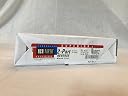
This 250-set pack of NCR 2-part carbonless paper (white and canary) offers a professional, eco-friendly solution for creating instant duplicates without carbon sheets. Made in the USA and compatible with laser, inkjet, and copier printers, it features precision collation and a coated finish for smooth printing. Ideal for busy professionals seeking reliable, high-quality multi-part forms that streamline workflows and reduce waste.
| ASIN | B0028LDPU6 |
| Best Sellers Rank | #23,108 in Office Products ( See Top 100 in Office Products ) #2 in Carbonless Copy Paper |
| Brand | NCR |
| Brand Name | NCR |
| Brightness | 95 |
| Color | White |
| Customer Reviews | 4.2 out of 5 stars 784 Reviews |
| Item Dimensions L x W | 11.05"L x 8.55"W |
| Item Weight | 3 Pounds |
| Manufacturer | Appleton |
| Material Features | Biodegradable |
| Paper Finish | Coated |
| Paper Size | 8.5 x 11, Letter Size |
| Paper Weight | 20 |
| Sheet Count | 250 |
| Sheet Size | 8.5 x 11 , Letter Size |
| UPC | 720918090992 785525621014 |
| Unit Count | 250.0 Count |
S**.
I had to troubleshoot to get things to work.
The pages stuck together and my printer would pull the yellow about an inch before the white would follow. This is probably more to do with my printer than their product. The white page is rough on the back side and my printer doesn't work well with rough paper, though it usually jams rather than pull double sheets. Once I got the papers separated, they went through my printer great. This was tedious and took about 30 minutes, and of course I had to put them back together after the printing was done. I didnโt try to activate the glue, there was no instructions on how to do this. The forms were needed the next day, so there was no time to experiment with the paper. The printing worked great after separation of the two colors. Likewise with the transfer from the original sheet to the second sheet. It worked for the purpose intended. The inconvenience of having to separate and then put the forms together, and the cost of time to do so, is something I can live with. I could have a print shop do these, passing the inconvenience of printing to them, but the cost of $25 for 50, when I need over a thousand, well this works better for me. I was worried after reading other reviews on how the transfer from the white sheet to the yellow sheet didnโt work. The first test sheet printed on the wrong side of the white sheet. I tried writing on the white sheet over the yellow, nothing. I thought maybe if I flip the white sheet over, again nothing. I flipped the yellow over and tried again. Nothing. I started looking closer at the white sheet, and thatโs when I realized it was rough on one side. I printed another set with the correct side being printed on, and the transfer worked fine. Bottom line, you will need to pay attention to how your printer pulls the paper and then make sure you print on the right side of the white sheet, otherwise, I think it inactivates the ability to transfer. None of the other sheets had any problem with transferring to the yellow. This will work for me, both with cost and my printerโs co-operation with the roughness of the paper. I will be purchasing more and experimenting with the adhesive the next time around. Also, received the next day as expected. This came in a bigger box rather then a soft plastic envelope. There was no damage to the paper.
C**K
Great product!
After reading the reviews we decided to try this product and are so happy we did. We were taking our invoices to the office store for printing in batches of 100. This made it difficult to judge how long they would last, tough to make changes to our master as we added or deleted designs (we sell fine art note cards, so designs come and go frequently and seasonal designs also come and go), and it was expensive. This product, along with the fan apart glue, is a fantastic alternative. (Note: the jar of glue, which is thin as water, will last you a very long time. I have gone through one package of 250 2-part sets and you can't even tell I have used any of the glue.) Once I overcame the challenge of loading the paper in the printer properly (something you only mess up once!), subsequent printings have been very quick and easy. This process allows us to change our invoice design at will and print small batches as needed. I would recommend not printing less than 12-15 sets at a time since it's much easier to do the gluing process on larger numbers of sets at one time. Hint: I use the quick-release hardware clamps from Home Depot to hold the stack of sets together while the glue dries, using binder clips on the top outside edges as well. The large aperture in the hard-plastic hardware clamps allows for easy application of the glue to the top edge of the stack of paper. I also use the cardboard backing from a legal pad on the top and bottom of my stack to protect the paper sets and provide a sturdy surface for the clamps. It takes about an hour for the glue to dry, but we usually just leave them overnight before unclamping our stack. Then, just fan the stack and you're ready to go! Works like magic. Unless you have loaded the paper incorrectly when you printed, which I did the first time I tried this - ugh! Had to toss them and start over, but I never made that mistake again. Now I double-check that my stack of sets is loaded properly by gently scoring a corner with my fingernail and checking to see that it went through to the yellow copy. Works like a charm! I highly recommend this product.
L**.
A Little Tricky to Set Up!
Great NCR paper! I have to admit that I wasted several sheets getting it all figured out! My printer kept wanting to do two sheets at a time. I learned that if i separated the sheets as I put them into the printer, they fed much better! Also, the carbonized side of the paper has a slightly rough feel to it. On the whole,it worksgreatโonce I figured it all out!
P**M
Economical Alternative to Print Shops
Once I got the hang of how my printer takes it in and spits it out, I am able to save a lot of money by printing these with 2 documents per set (page is divided in half). I do have to cut them and glue them but it saves a lot of grief and it means that any changes to the document itself can be addressed with the next 50 instead of the next 500. Nice paper, too. I may eventually send my project out to be printed but only after deciding if the duplicates are really necessary and when all changes are pretty much done.
A**L
Frustrating waste of money time and paper
This paper has several issues- it is not packaged correctly, so multiple attempts are needed to get the correct side "up" to print so it will carbon onto both pages when you write on it- otherwise, it's blank. Every ream of paper is different. Cardboard side and package print was always up and front edge. Now it's russian roulette. Second, most frustrating of all: The papers/pages stick together. Even after fanning multiple times, the printer pulls 2 at a time, instead of one yellow, then one white. I thought it was my printer- bought another brand new Epson Workforce Pro, and guess what- it wasn't my old printer at all. My printer was replaced for no reason; it was your substandard, mediocre paper. I wish Amazon and whoever makes this defective paper would reimburse me for my wasted time and money dealing with this inferior product. Have used this style of paper for years, now this? GRRRRRRRRRRRR
T**O
essential
I've bought these for years. An absolute essential for my business. My terms of service documents and my service reports are all printed/written using these so I can give the customer a copy on-site. It works absolutely great.
J**M
Quick shipping but the cover came really damage
Looks like refurbished item. Although the actual paper came in intact, but the cover came in in a bad condition.
G**M
Proper Orientation of the Print Side a MUST
Since it's not clear which side works between the white (top) and yellow (copy) sheets, I had to test several times to ensure that all of the sheets were oriented correctly in my printer. Since most printers will multi-pick (pick up more than one sheet at a time), I printed twice: First with the white side and then second time on the yellow side. This means taking several steps. (1) Re-collate the ream of paper, separating the white sheets into a separate stack from the yellow sheets, all the time ensuring that I know which side is the correct side to print on. The key is to be consistent with the stack. i.e., don't be flipping the individuals sheets over as you re-collate. (2) Double check that you have identified the correct print sides of both stacks. You can always test the stack to see which side is the print side by taking the white sheet and overlaying it onto a yellow sheet. Scratch the top of the white sheet on a corner and see if it shows up as print on the yellow sheet. If it does, then the two stacks are oriented correctly. (3) Load the stack, starting with white, correctly in the printer so that the proper side will print. It's critical that you know how to load the paper, either face up or face down. Most printers have the print side face down on the paper tray but TEST FIRST. (4) After printing the white stack, repeat 3 for the yellow stack with the same print job. (5) Collate the white with the yellow copy, ensuring that they match. TEST AGAIN using the corner scratch method to ensure that the correct sides have been printed. Good luck!
Trustpilot
1 week ago
2 days ago