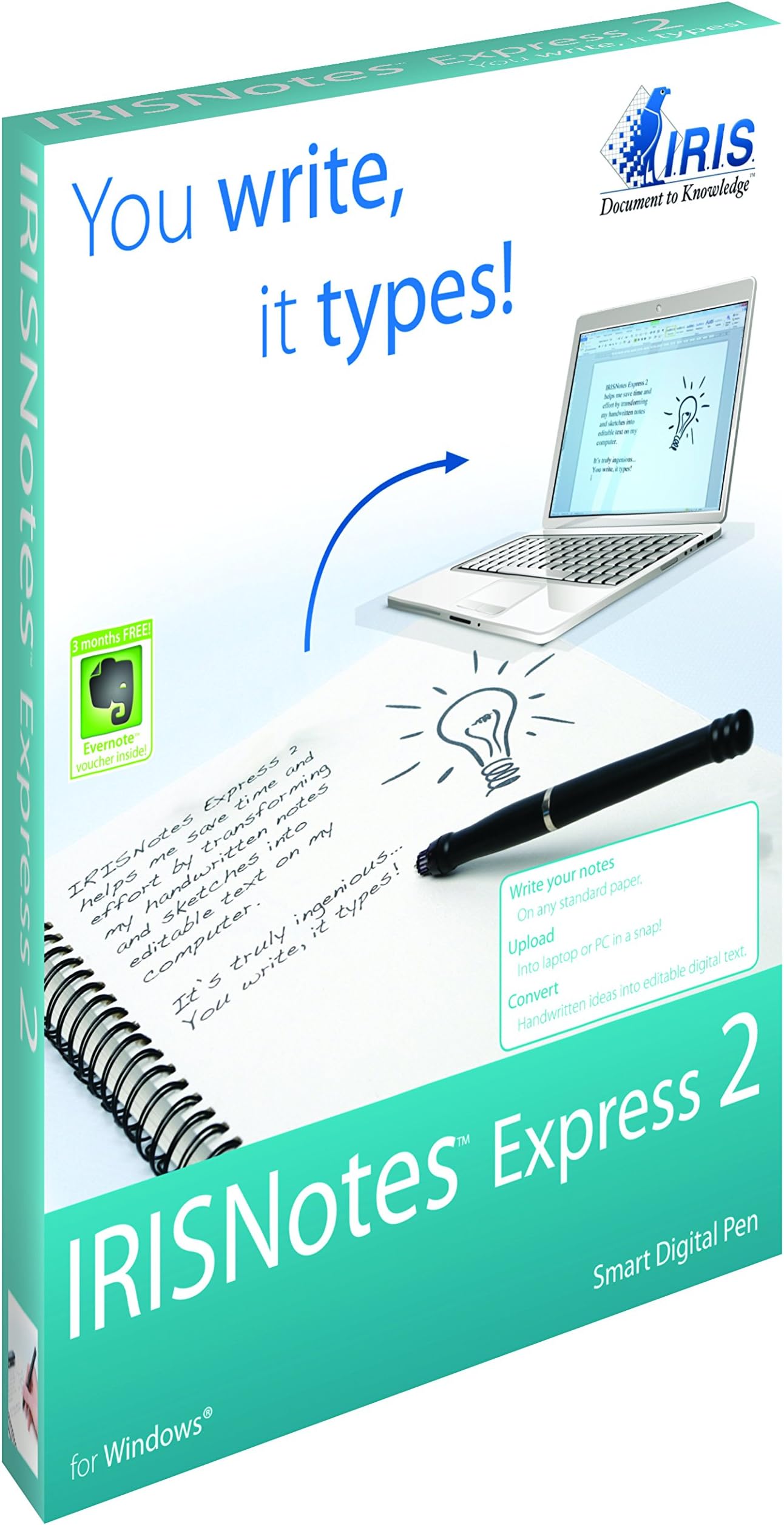



IRISNotes 2 Express Digital Pen Scanner for Windows
Product ID: 1635452
Details
- Scanner TypeDocument
- BrandIris Ohyama
- Connectivity TechnologyUSB
- Resolution300
- Item Weight0.02 Kilograms
- Standard Sheet Capacity1
🌍22 languages
📄100 pages
🖊️Digital pen
📝 Write it, scan it, own it!
The IRISNotes 2 Express Digital Pen Scanner is a versatile tool designed for professionals who need to capture notes and drawings on-the-go. It allows users to convert handwritten notes into editable text, supports 22 languages, and can store up to 100 letter pages, all without the need for a computer.
| ASIN | B00902HG24 |
| Brand | Iris Ohyama |
| Connection Type | USB |
| Connectivity Technology | USB |
| Customer Reviews | 3.0 out of 5 stars 29 Reviews |
| Global Trade Identification Number | 00765010725038 |
| Item Weight | 0.02 Kilograms |
| Manufacturer | Iris Inc |
| Media Type | Paper |
| Minimum System Requirements | Windows 7 |
| Resolution | 300 |
| Scanner Type | Document |
| Standard Sheet Capacity | 1 |
| UPC | 765010457489 041114203093 765010725038 806296585586 |
S**Y
Pretty Good.
I would have given a five star, except that the instructions are not very good. Once I got everything figured out, it works pretty good. In fact, I tried printing my notes and handwriting them. You would think the printing would be easier to convert to text. But, in fact, the handwriting is easier. It would also be great if you could convert to a direct doc format and not just RTF. That way you could skip the middle file and not have to go into word's notepad. You could go directly to Word, or what other word processor you are using. I haven't done any drawing, yet. But I can see it would be pretty simple to do.
L**L
Fast and easy setup - works like a charm!
This is the fastest, easiest, most reliable digital pen I've found. I wanted to be able to draw on normal paper with a pen and have it appear on a computer screen simultaneously. I have tried a few different products and none of them came close to the IRISNotes pen. While I didn't need to be able to store notes for offline use or convert hand-written notes to text, I tried both features and they both worked very well. If I had one complaint it would be the USB Tether. I think they do have a wireless version but the benefit wasn't worth the extra cost to me. Previously I had used the IOGEAR Digital Pen. This seems like it's the exact same pen and software but I've had 4 IOGEAR pens and they have all broken quickly. This one is working like a charm. I also tried the e-Pens Mobile Board Plus. It was nice in that you could annotate a PowerPoint presentation (the IRISNotes can't) but setup took forever, using it is sort of a pain and since you have to carry around their special clipboard it's not very convenient.
C**T
Mac desktop version software can't make editable text
Use caution when picking your software version! This listing (as of Aug 18) is for the *Executive* version for iPad/iDevices etc and *Express* version for desktop users. I needed the desktop version and didn't realize there was a difference. :( Unfortunately for me, the pen would not recognize the base so I could never properly test it. Insult to injury was when, after poking around on the IRISNotes website I discovered the Express version does not have editable text conversion software for Mac computers- it is Windows only- making the one I got unusable for me even if the pen had worked properly. Oddly enough the Executive version *does* have editable text conversion for Mac, so I sent this one back to Amazon and ordered the Executive from another company. It's a really cool product, and I think this will be an immensely helpful tool for me as I start grad school, I just would caution others to check out the different products on the IRISNotes website and make sure you get all the features you want/need.
N**N
TOTALLY waste of money.
The device is not working as describe, I must keep my device attached to my laptop. The LED screen also not working probably. I wrote some words in English, the program didn't transfer my hand writing in to words at all. I contact irislink and didn't help me, only one reply and wasn't helpful. very bad customer service. Do not spend money on this device because no one will help you if there is problem.
S**L
nice but expect an extra 20€ cost for handwritting recognition
I use it to right down all of my work issues and convert them atomaticly to word or outlok emails. Perfect for resumes of meetings or to copy paste the issues you haven' t had the time to accomplish for the next day to do list. Problem is the text handwritting recognition comes with a 30 day trial so after that you need to expend an additional 20€ cost to activate the program. I do still feel its worth but for sure did not expect that to not be included. Hope my review its usefull for future costumers. ;')
R**S
Works like a charm
I've used other similar products (SII SmartPad and inkLink), but the pickup is smaller and easier to use. The pen is still a bit bulky, but not nearly as bulky as pen products which contain a camera--and IRISNotes does not need special paper.
L**.
This was a gift for my husband and it was a total waste of money especially as NOWHERE in the ad does ...
After spending several hours trying to get this to work we finally discovered it is NOT compatible with Windows 10. This was a gift for my husband and it was a total waste of money especially as NOWHERE in the ad does it specify that it is incompatible with windows 10. I would upgrade to the executive but am unwilling to lay out another $90plus after being stuck with an eighty dollar cost for this one. What a disappoinrment!
D**L
Battery just won't recharge!
I initially thought that this item was really fantastic, since it is so extremely portable. This was until the sensor's rechargeable battery died after three short uses. It just would never recharge, since it is probably an old battery. The screen is so dim and barely shows the low battery icon. I can not use this device for any purpose except to control my cursor whilst plugged in. Extremely disappointing.. for such a potentially exceptional product!!!
C**E
Good
Really good product.
L**S
Great technology, instructions could be better
But takes some playing around with to figure out how it works best. The instructions are very brief and speak only to the components, not the use. You have to "save" after each page - press the button on the receiver to "add a note". Otherwise when you start a new page it just "writes" over top of the first page. I wrote for several pages before trying out the software and it could not convert, as the writing was overlapping. The conversion of handwriting to text is pretty good. It depends on how neat your handwriting is.... Even with the wrong words converting and editing to be done on the text, it certainly saves a lot of time! I really like the product. I like that it uses regular ink refills and that you can write on any paper. It's nice to be able to take my writing with me, and not have to re-type everything into the computer later.
J**A
Three Stars
Doesn't correctly recognize letters
N**D
Two Stars
Worked okay i guess. But returned it because it wasn't the most user friendly.
L**N
Two Stars
N'a pas tenu 2 semaine et plus rien ne fonctionnait. Très mauvais choix ;o(
Trustpilot
3 weeks ago
3 weeks ago